Home / Fireflies review
Fireflies.ai review 2026: features, limits and pricing.
What the notetaker does well, where it falls short, and who should use it. Every price and limit below was checked in October 2026.
Affiliate link. We may earn a commission if you sign up, at no cost to you.

G2 rating from 753 reviews
Trustpilot rating from 836 reviews
languages for transcription
integrations with the tools you use
See Fireflies work, from call to follow-up.
Four moments that show what you get. These clips come from Fireflies' own product demos.
During the call
The notetaker joins as a participant and the transcript builds as people talk.
After the call
A summary with topic tags and a timestamped outline, ready to skim.
Finding a detail
Search any word across your transcripts and jump to the moment it was said.
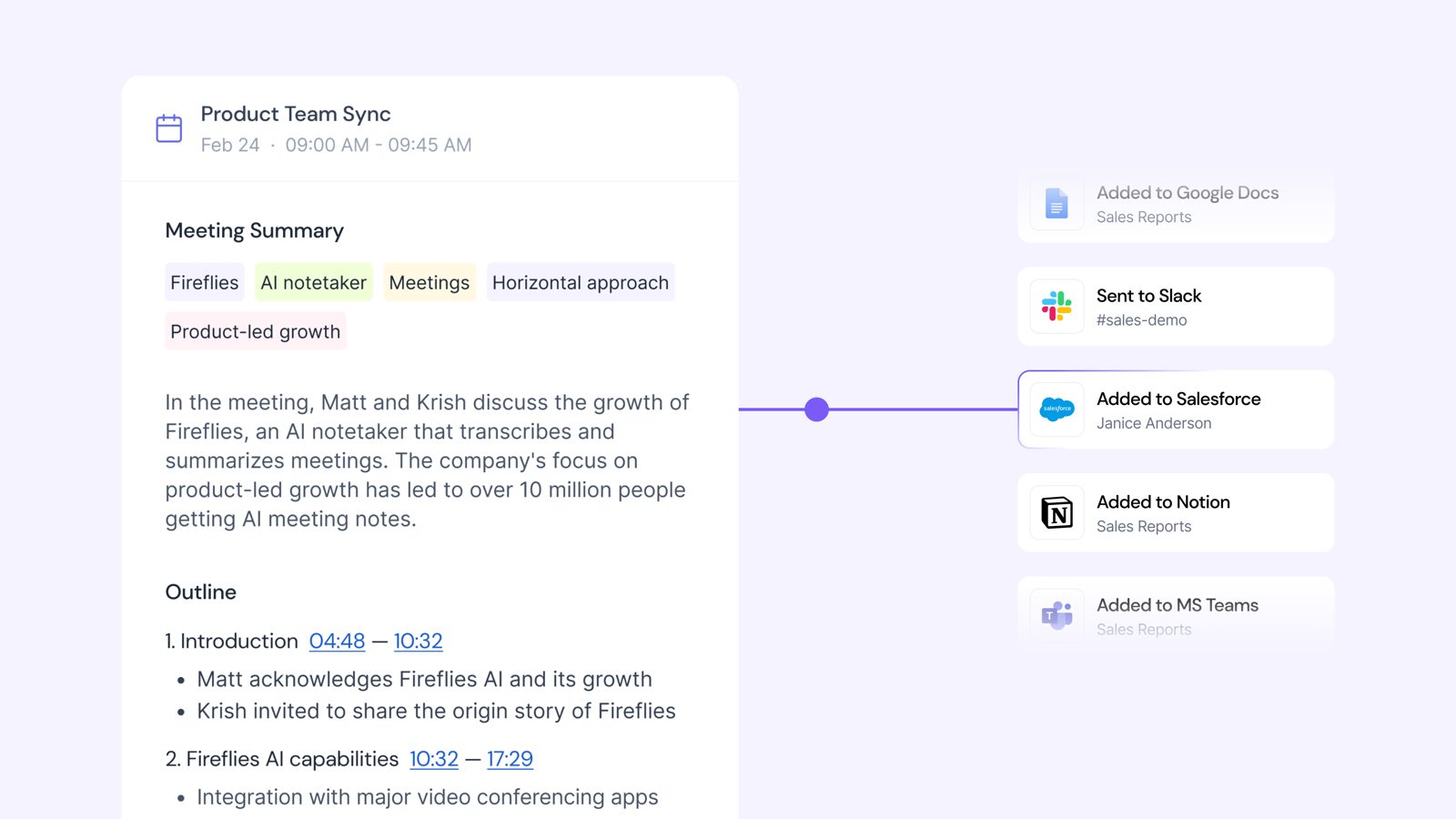
Sharing the follow-up
Notes flow to Google Docs, Slack, Salesforce, Notion and Teams.
Who it's for, and who should skip it.
Fireflies is best for teams that want automation, CRM connections and a searchable archive of every call.
- Best forTeams that want notes sent to their CRM and chat tools without copying and pasting.
- Not ideal forTeams that mainly want to edit notes together live while the call is running.
- What users complain aboutMostly confusing messages about free-plan limits, and occasional account or support issues.
What the free plan really includes.
Free is a proper trial, not a teaser. It is enough to find out whether Fireflies fits how you meet.
Free plan limits
You get AI summaries and transcripts, with these limits:
- 400 minutes of storage per seat
- 20 AI credits per month
- No transcript downloads (paid plans only)
What it does, feature by feature.
Transcription that keeps up with your meetings
Fireflies transcribes in more than 100 languages, labels each speaker and adds timestamps. Click a line and you jump to that moment in the recording.
Automation that sends notes where you work
Summaries and action items can go straight to Slack, Notion, HubSpot, Salesforce, Asana and Jira. More than 50 apps connect in total, so nobody has to copy notes by hand.
AI that answers questions about your meetings
AskFred is the built-in assistant. Ask it something in plain English, like how many seats a customer wanted, and it answers from your meetings with a timestamp. Summaries and transcripts do not use AI credits, but AskFred does.
Security and privacy
Fireflies is SOC 2 Type II and GDPR compliant, and says it does not train AI on your data. You decide which calls it joins. Enterprise adds options such as private storage and custom data retention.

Pricing in October 2026.
Per seat, per month, billed yearly. Checked on 5 October 2026.
| Plan | Price | What you get | |
|---|---|---|---|
| Free | $0 | Summaries and transcripts, 400 minutes of storage, 20 AI credits a month | Try free |
| Pro Our pick | $10 | 8,000 minutes of storage, meetings up to 2 hours, transcript downloads, 720p video, API access | Choose Pro |
| Business | $19 | Everything in Pro, plus unlimited storage, meetings up to 3 hours, team analytics, CRM autofill, priority support | Choose Business |
| Enterprise | $39 | SSO, SCIM, 1080p video, private storage, custom data retention, HIPAA on request | See Enterprise |
Prices are in US dollars and billed yearly. AskFred and other AI features use AI credits that no plan covers without limit, so heavy users may need to buy more. Check Fireflies' pricing page before you buy.
The honest pros and cons.
Five things we liked and five that could be better.
Pros
- Strong automation into your other tools
- Accurate transcription
- A free tier you can actually use
- A searchable archive of every meeting
- Works on all the major meeting platforms
Cons
- A learning curve at the start
- Basic live collaboration
- Per-user pricing adds up for large teams
- AI credits are sold separately
- Free-plan messages can be confusing
Is Fireflies right for your team?
It works best for teams of 2 to 100 people.
Perfect for
- Remote and hybrid teams
- Sales organisations
- Consultants and agencies
Good for
- Product managers
- Executives
- Legal and compliance teams
Not ideal for
- Teams that need real-time shared note editing during calls
Get started in six steps.
Most people finish the first four in one sitting.
Affiliate link. We may earn a commission if you sign up, at no cost to you.
Sign up free
No credit card needed.
Connect your calendar
Fireflies then knows which calls to join.
Choose your recording settings
Decide which meetings it joins and who sees the notes.
Set up your integrations
Pick where summaries and action items should go.
Invite your team
Each person who records meetings needs a seat.
Run your first meeting
Join as usual and read the summary when it ends.
Start free. Run it for a week. You'll have your answer.
If you have regular meetings, Fireflies is worth trying. The free plan costs nothing and needs no card.
Affiliate link. We may earn a commission if you sign up, at no cost to you.